
Google Messages QR Code Key Verification Now Rolling Out in Beta
Google has officially started rolling out QR code key verification in the beta version of Google Messages. This long-awaited security feature, first previewed last year, aims to give users more confidence that they’re messaging the right person by visually verifying end-to-end encryption. What Is…
 Memet Deniz Yucekaya
Published 2 min read
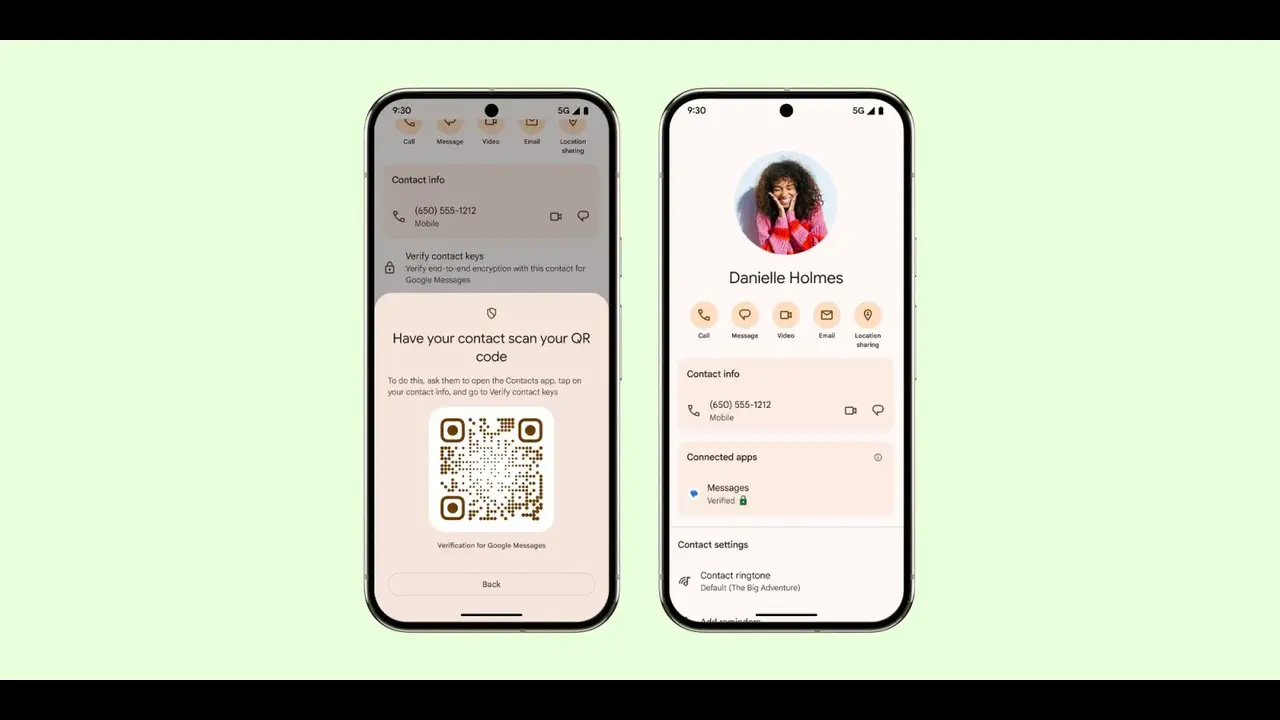
Google has officially started rolling out QR code key verification in the beta version of Google Messages. This long-awaited security feature, first previewed last year, aims to give users more confidence that they’re messaging the right person by visually verifying end-to-end encryption.
What Is Google Messages QR Code Key Verification?
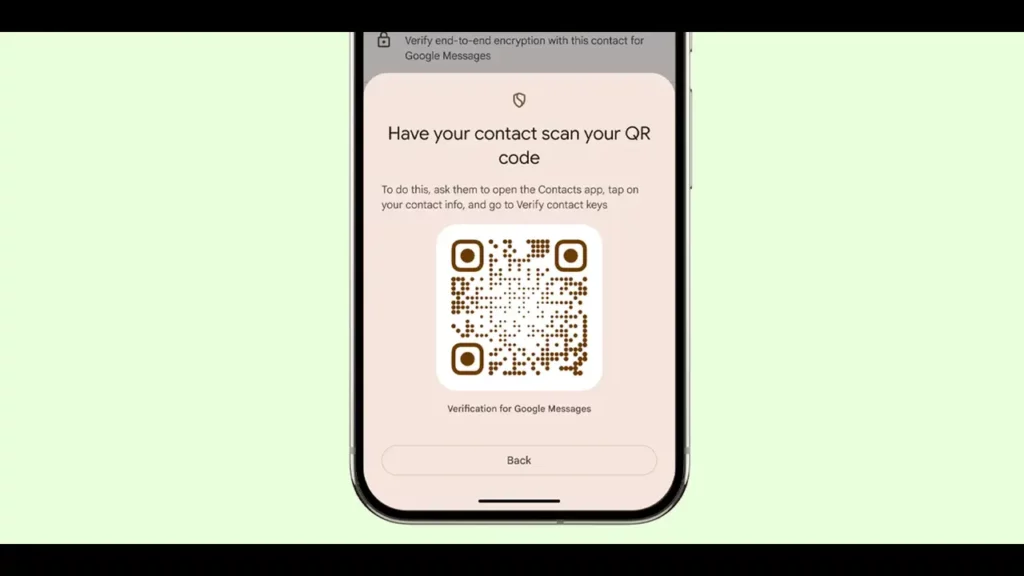
The new feature adds a layer of protection by allowing users to verify encryption keys through scanning QR codes instead of relying solely on lengthy numeric strings. This update is especially important for those concerned about secure communication via RCS (Rich Communication Services) on Android.
Gmail Passwords Targeted in Hacks, Google Urges Users to Take Action
How to Verify Encryption in Google Messages
To use this feature, beta users can:
- Open a conversation in Google Messages.
- Tap the contact’s name in the top bar to open the Details page.
- Under the “End-to-end encryption” section, tap Verify encryption.
Previously, this action would display an 80-digit code, which users had to manually compare. Now, it opens a “Security & privacy” sheet that offers a much simpler QR-based method.
How QR Code Verification Works
Google explains the steps clearly:
- Why verify keys? This ensures that only you and your contact can read your RCS messages.
- How to verify? Scan your contact’s QR code and have them scan yours in return.
- Where to check the status? Verification results will appear in the Contacts app under “Connected apps.” (Note: This integration isn’t live yet.)
There’s also a “Scan contact’s QR code” option, which launches the Android System Key Verification app that’s pre-installed on most Android devices.
Old 80-Digit Code Still Available
If you prefer the original method, you can still access it by tapping “Compare verification codes” on the same security sheet.
Who Can Use Google Messages QR Code Key Verification?
This new QR code verification feature is currently only available in the Google Messages beta. Google has confirmed that it will roll out more widely in 2025 for devices running Android 9 and up. Eventually, this unified system for public key verification will also support third-party messaging apps.