
2008'den beri7.615 mesaj
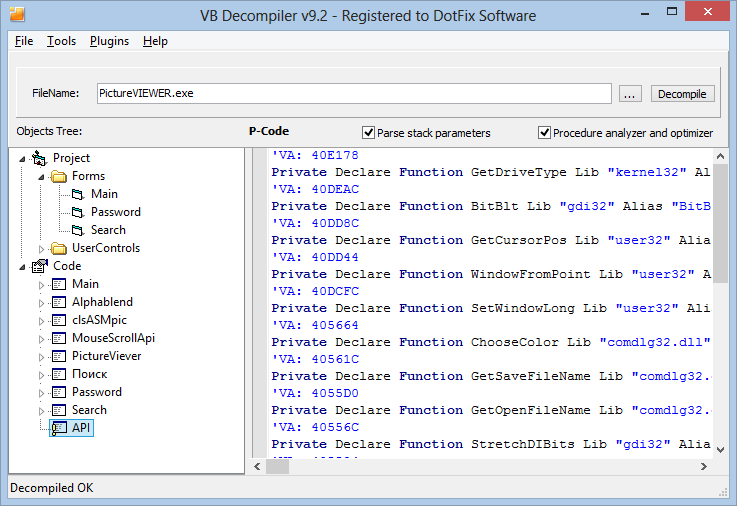
Windows XP/Vista/7/2008/8Visual Basic ortamında program yazanlar bilirler. Projenizin kaynak kodlarını kaybettiğiniz zaman bir sürü angarya kodu baştan yazmanız gerekir ya da çok beğendiğiniz bir ActiveX veya UserControl'ün kaynak kodlarını bulabilmek için kıvranıp durursunuz. Ama artık VB Decompiler var. Visual Basic 5.0 ve 6.0 ile hazırlanan EXE dosyalarını kaynak kodlarına ayırıp kaydedebilirsiniz.
VB Decompiler programı ile Visual Basic projeleri içerisindeki;Programın ücretsiz olarak dağıtılan bu Lite sürümünde kaydettiğiniz proje dosyaları Visual Basic kod yapısında olmayıp makine kodunda saklanmaktadır. Ayrıca Pro ve Corporate sürüme oranla yükleme ve kaydetme hızları oldukça düşük.
- Form dosyalarını (.frm,.frx)
- Kullanıcı kontrollerini (.ctl)
- Api tanımlamalarını
- Proje dosyalarını (.vbp)
- Form tasarımlarını çözüp kaydedebilir,
- Şifrelenmiş "string" tanımlamaları hariç tüm "string" tanımlamalarını bulabilir,
- Pentium ve diğer işlemciler için makine koduna dönüştürebilir,
- Yeniden derleyerek EXE dosyası haline getirebilir,
- Kaynak kod görünümünde 'Kod Renklendirme' özelliğini kullanabilirsiniz.
- Windows 8 is fully supported
- Decode UTF8 names (.NET)
- Jumping by clicking on a procedure name
- Popup menu for the treeview is now allow to copy a name of the item
- Popup menu for the code view with the Copy and Select All operations
- Show the virtual addresses of the string references in code (.NET)
- Syntax highlighting for branches (.NET)
- Show TypeDef table content (.NET)
- Process filters for SEH handlers (.NET)
- String references dialog is now sizable
- Caching the color highlighted procedures in standard control
- Splash screen (show loading process at decompiler start)
- Saves parameters of the main window (left, top, width, height and splitter position)
to the registry and restoring it after launching the VB Decompiler.
- New code highlighting control based on SynEdit sources
- New color scheme and code highlighting scheme
- Drag'n'drop files is accepted to the whole form
- Show the different icon in the API declarations (.NET)
- BugFix: Correctly update checkboxes after resizing the windows
- BugFix: Correctly process ldloc and stloc opcodes (.NET)
- BugFix: Correctly process tables alignment (.NET)
- BugFix: Correctly process tables if count is more than 44 (.NET)
- BugFix: Correctly patch data using Patch data dialog
- BugFix: Correctly proccess parameters of the last MethodDef table field (.NET)
- BugFix: Correctly emulate labels and finally markers (Native Code)
- BugFix: Correctly process user classes with the incorrect RTTI (Native Code)