
Android 14 will bring back the lock screen widget feature
Google has announced that they postponed the release date of the stable version of Android 14 due to ongoing improvement efforts in recent weeks. Analyst Mishaal Rahman revealed a hint about the lock screen widget feature in Android 14 Beta. Android 14 will bring back the lock screen widget feature…
 Yiğit Ali Demir
Google has announced that they postponed the release date of the stable version of Android 14 due to ongoing improvement efforts in recent weeks. Analyst Mishaal Rahman revealed a hint about the lock screen widget feature in Android 14 Beta.
Android 14 will bring back the lock screen widget feature
Rahman stated in a tweet on Twitter that he discovered a new SystemUI function called “widget_on_keyguard.” This function suggests that Google is planning to reintroduce widgets to the lock screen.
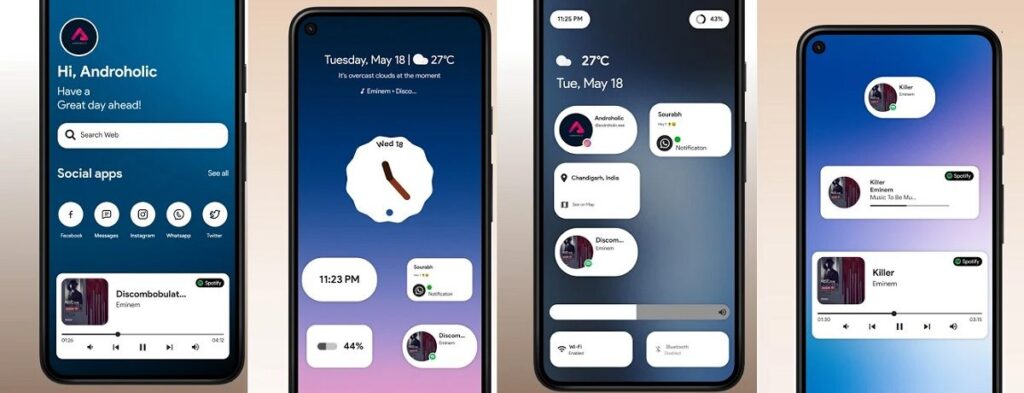
Some analysts believe that Google will bring back this feature from older Android versions because Apple added a widget structure to the iOS lock screen. There are also claims that this new feature will be exclusive to Google Pixel devices.
Thanks to Android 14, you can use your phone’s camera as a webcam
In addition to the new feature, the latest beta version allows you to customize shortcuts on the lock screen. The shortcuts located in the bottom left and right corners of the screen can now be replaced with the application of your choice.
Now, instead of default shortcuts, you can choose from a wide range of applications and actions. You can use it to access the camera app, enable the Do Not Disturb mode, turn on the flashlight, open the Google Home app, switch to silent mode, or even use the QR code scanner directly from the lock screen. To do this, simply go to the Wallpaper & style menu in Settings, select Lock screen, and find the Shortcuts submenu.