
How to cancel Xbox Game Pass?
Microsoft’s Xbox Game Pass service, offering access to hundreds of games, has long been an attractive option not only for gamers in Turkey but also worldwide. However, as we announced in our recent news report, Game Pass prices have increased again, and the cheapest subscription plan is now 269 TL.…
 Samet Kelebek
Microsoft’s Xbox Game Pass service, offering access to hundreds of games, has long been an attractive option not only for gamers in Turkey but also worldwide. However, as we announced in our recent news report, Game Pass prices have increased again, and the cheapest subscription plan is now 269 TL. This price increase has led many gamers to consider the option of “canceling your Game Pass subscription.”
Xbox Game Pass Increased: Here are the new prices
Microsoft has officially increased its Xbox Game Pass service. The new prices could upset gamers.
Step-by-Step Xbox Game Pass Subscription Cancellation
If you follow our guide carefully, you’ll be able to easily cancel your subscription. If you’re ready, let’s move on to the guide.
Step 1: Sign in to your Microsoft account
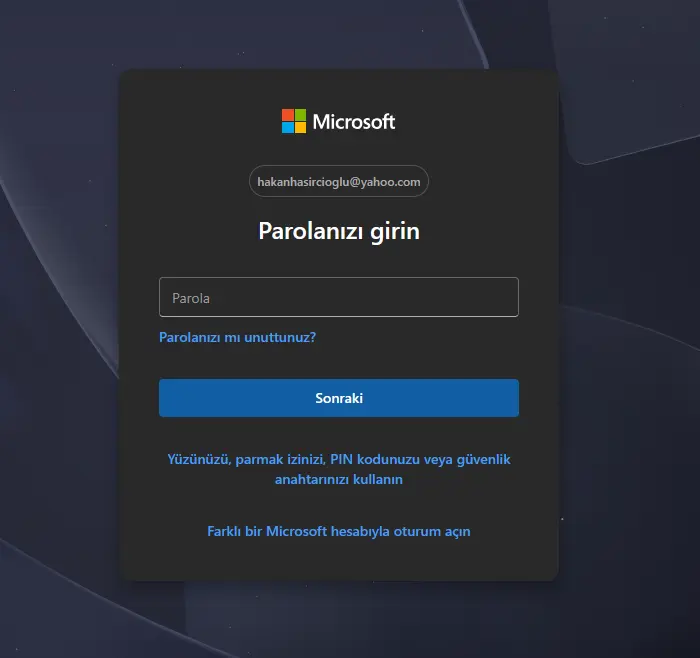
After logging in to your Microsoft account, go to account.microsoft.com/services.
Step 2: Open the Subscriptions tab
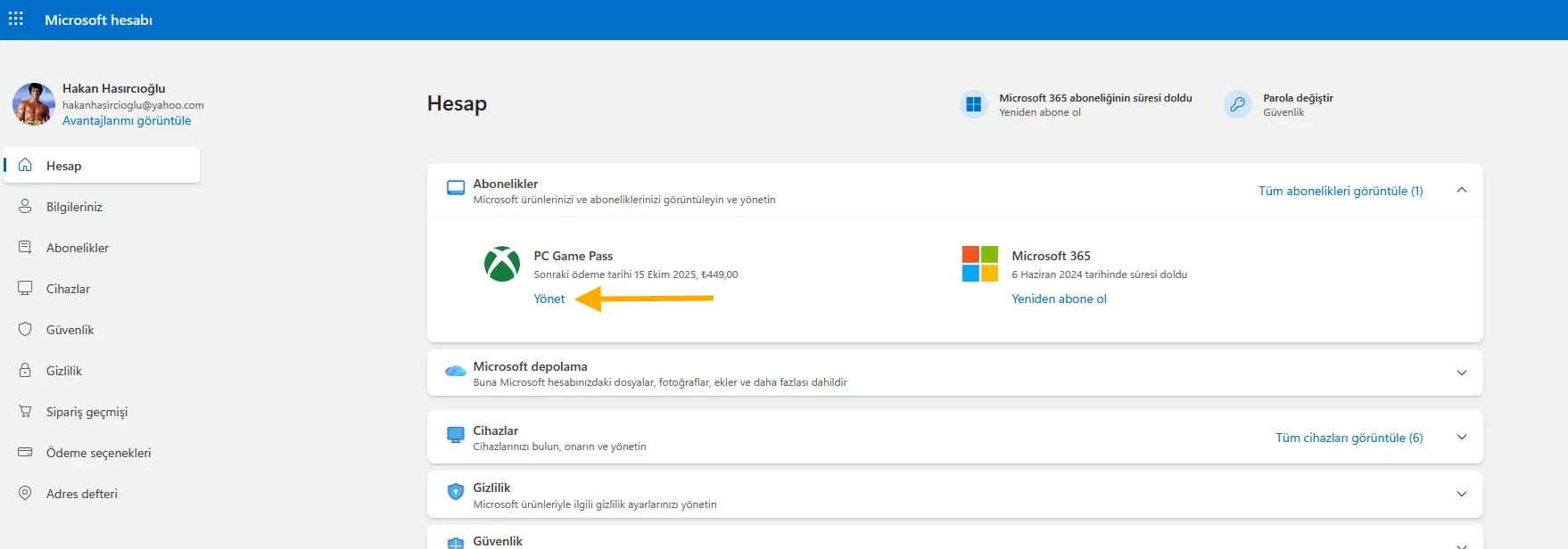
You’ll see your active Game Pass plan in the Subscriptions section of the summary screen.
Step 3: Turn off recurring payments
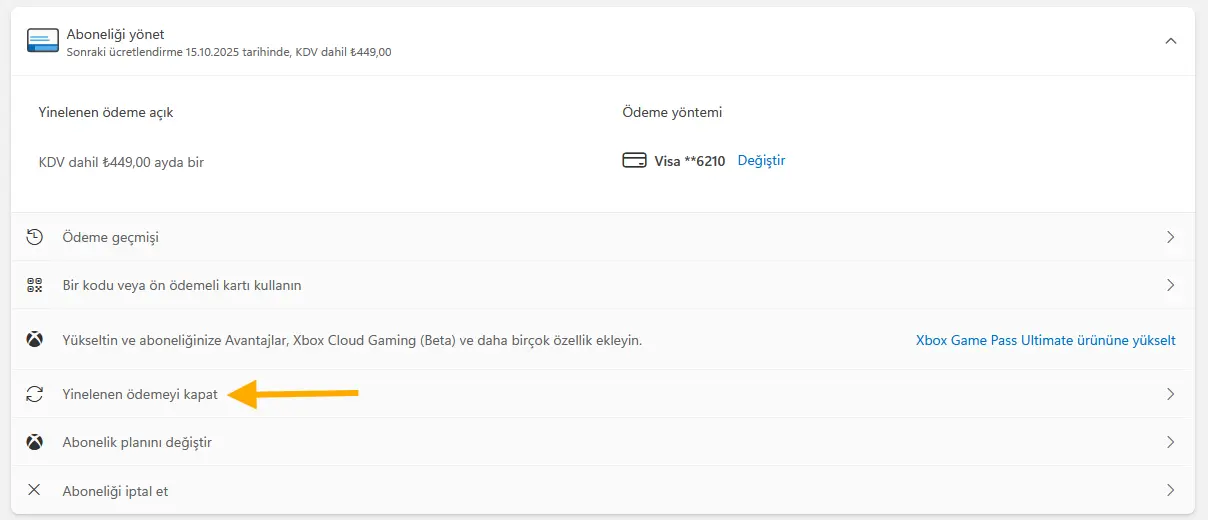
Click the “Manage” button next to your Game Pass subscription. From there, you’ll find the “Turn off recurring payments” option.
Step 4: Confirm
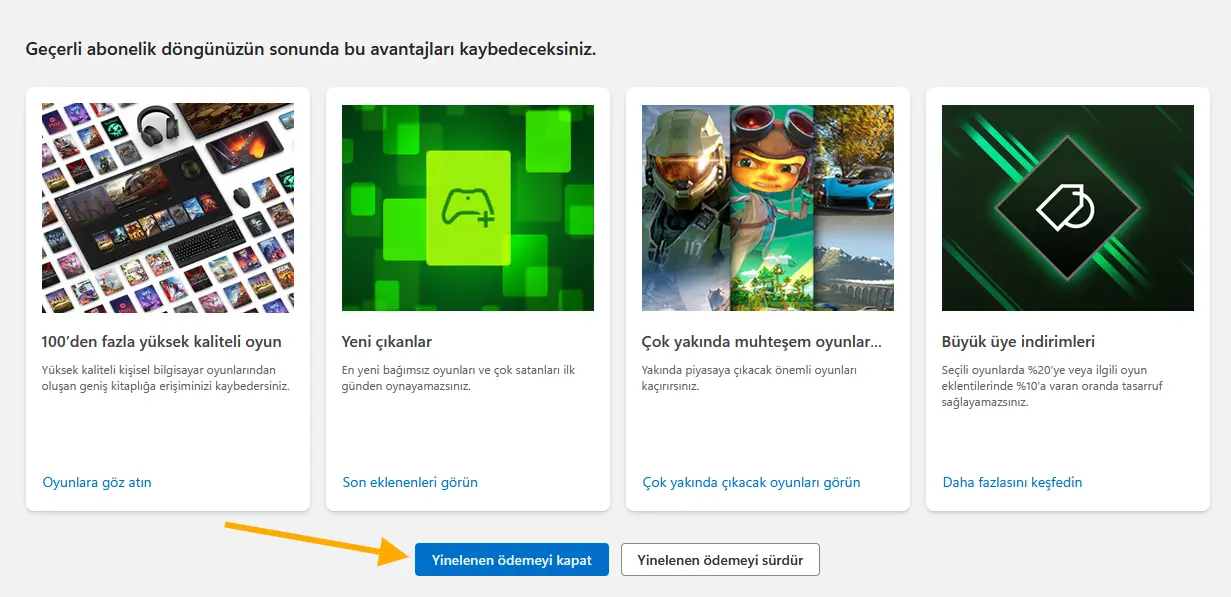
You’ll reach a screen where Microsoft displays the benefits it offers to cancel your Game Pass subscription. If you can’t find the confirmation button, don’t worry; scroll to the bottom of the page and select the blue “Turn off recurring payments” option. On the next page, you’ll see that your subscription has been canceled.
While Xbox Game Pass is still a strong service offering hundreds of games at affordable prices, the new prices, starting at 269 TL, have started to strain the budgets of gamers in Turkey. If the subscription no longer appeals to you or you’re considering switching to other platforms, you can easily cancel in a few steps.
So, will you continue your Game Pass subscription despite the price hikes? Let’s meet in the comments!