
What does it mean when the WhatsApp security code changes?
WhatsApp users sometimes receive a notification saying that the security code has changed. The reason for this notification is that the feature of end-to-end encrypted chats, which was introduced into our lives a while ago, uses a unique security code. So, is this situation normal? Is it normal to…
 Mert Can Aka
Published Updated 1 min read
WhatsApp users sometimes receive a notification saying that the security code has changed. The reason for this notification is that the feature of end-to-end encrypted chats, which was introduced into our lives a while ago, uses a unique security code. So, is this situation normal?
Is it normal to receive a message saying the WhatsApp security code has changed?
Let’s clarify that receiving a message saying the WhatsApp security code has changed is quite normal. Each chat is secured with end-to-end encryption in a different way from the others.
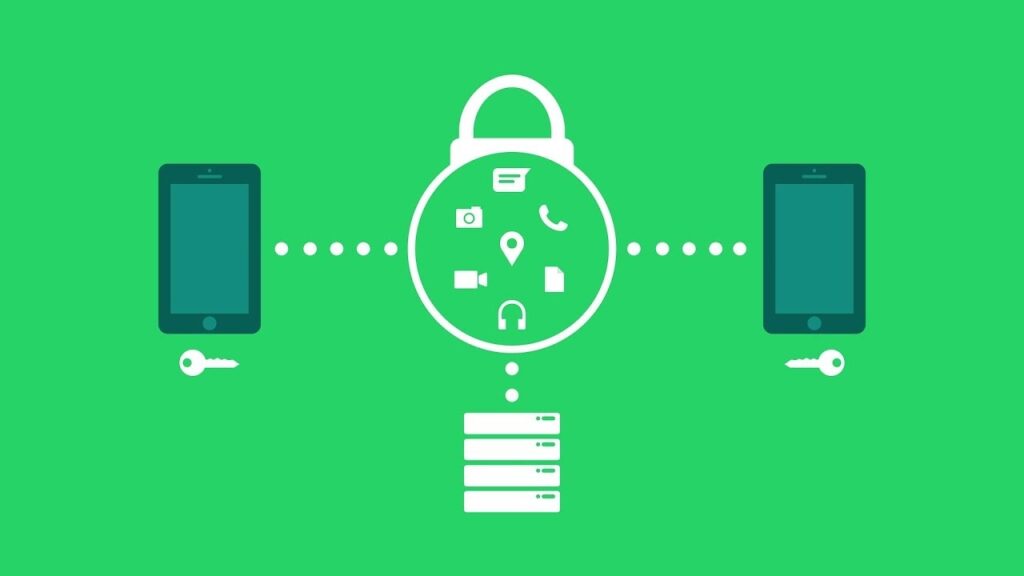
This code appears on the person’s information screen as both a QR code and a 60-digit number. Each chat must have a different code. Therefore, you can compare these numbers with the person you are chatting with to check if your messages are end-to-end encrypted.
How to downgrade MIUI version? Xiaomi rollback update
However, let’s emphasize that these are not the actual codes, but rather previews. The real encryption key for end-to-end encryption is always kept secret. In fact, it is not even shared if requested.
To receive notifications when security codes change, follow the steps below:
- Open WhatsApp and go to Settings. (Android users will tap the three dots in the upper right corner)
- Then, tap on the Account option, which is listed first.
- Next, tap on the Security option, which is listed second.
- From there, you can enable security notifications by tapping the button next to “Show Security Notifications.”
What are your thoughts on this matter? Don’t forget to share your opinions with us in the comments!